Your tmux sessions, from any browser.
muxdeck is a single Go binary that serves a session manager and a full
terminal for the tmux server it runs next to. Every browser tab is a real
tmux attach client — splits, scrollback, copy mode, and the status
line all just work.
curl -fsSL https://raw.githubusercontent.com/josecarlosrivas/muxdeck/main/install.sh | sh
on a Mac? download the desktop app — signed & notarized, Apple silicon
no accounts · no telemetry · MIT
1:features
Everything tmux gives you, nothing it doesn't
Full terminal in the browser
xterm.js attached over WebSocket. Multiple viewers of one session behave
exactly like multiple tmux attach clients — watch a deploy from
your laptop and your phone at once.
One static binary
The frontend — xterm.js included — is embedded in the binary. The only
runtime dependency is tmux itself. Linux and macOS, amd64 and
arm64.
Installable PWA
Add it to the home screen on an iPad or phone. A touch key bar covers what
software keyboards lack: esc, tab, arrows, and a sticky ctrl — so
ctrl-b works everywhere.
Sessions that survive
Create, kill, rename, deep-link with /#name. Sessions live in
the tmux server, not in muxdeck — restart muxdeck and everything is still
running.
Agent-aware
Sessions running AI coding agents show a live badge — state, model, spend — and muxdeck notifies you the moment an agent blocks on your input. Agents self-report over one endpoint; adapters ship for Claude Code.
2:demo
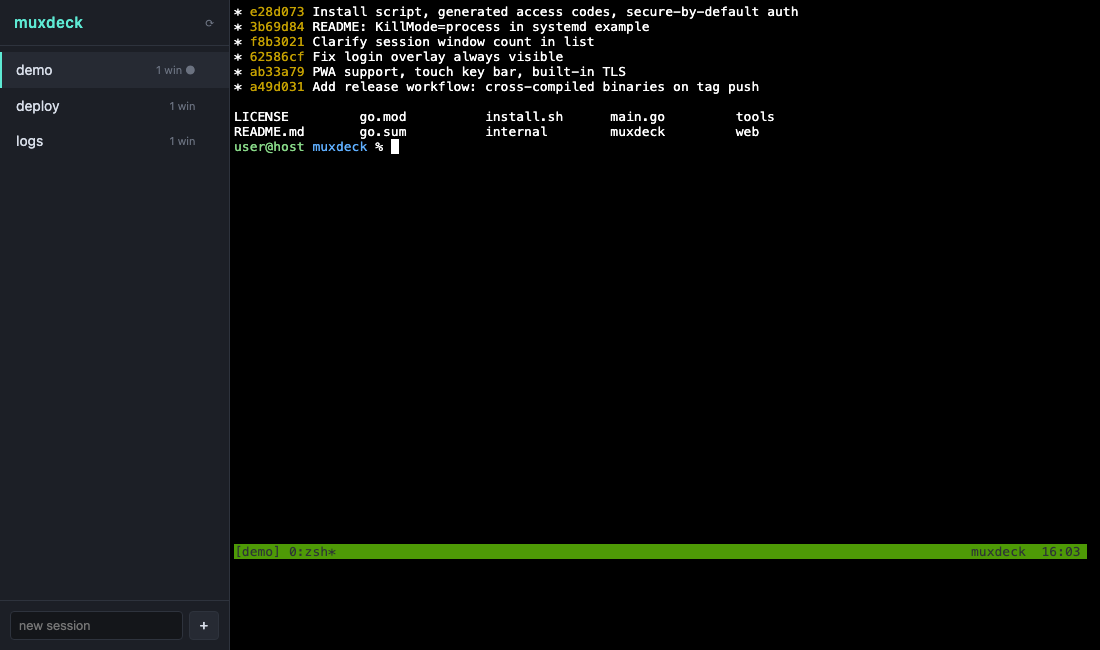
The actual UI
Session list on the left, live terminal on the right. What you see is the whole app — there is nothing else to configure.
3:desktop
The Mac app
Everything above, in a window of its own — no terminal required to get started. Signed and notarized, so it opens straight from the download.
download → drag → openthe daemon is bundled; the app starts and stops it for youplays nice with a servicealready run muxdeck via launchd? The app attaches instead of spawning a second daemonnative notificationsagent needs-input alerts land in Notification Center, even with the window closedDownload muxdeck.dmg — Apple silicon. Prefer the CLI? Keep reading.
4:install
Run it your way
The installer detects your platform, checks for tmux, and offers to set up a systemd or launchd service. Or grab a release binary and run it directly:
./muxdeckloopback, no auth — try it./muxdeck -addr 0.0.0.0:8300LAN — access code auto-generated./muxdeck -addr 0.0.0.0:8300 -token s3cretfixed token./muxdeck -tls-cert cert.pem -tls-key key.pembuilt-in TLS, no proxy neededA browser terminal is remote code execution by design, so auth is on by default: bind beyond loopback without a token and muxdeck prints access code: XK7M2P at startup. Opting out is explicit (-no-auth), never accidental.
5:roadmap
Where it's headed
linux desktopthe same app for Linux — the daemon already ships linux binaries; the shell followsweb pushagent alerts on your phone — the PWA gets real push, not just in-page notificationsmore agent adaptersCodex CLI next; anything that can run a command on state change can report